
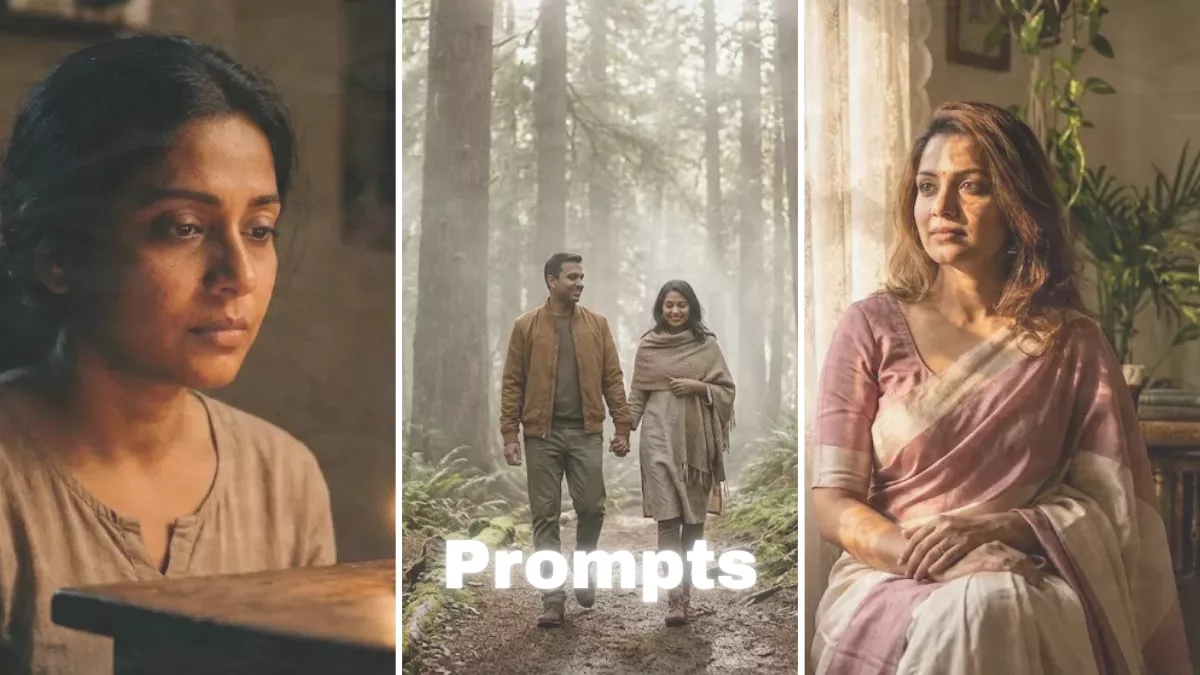
Creating AI images that feel realistic, warm, and naturally lit is an art. Many people simply type “soft lighting portrait” and expect professional results — but truly natural images require more detailed prompt engineering. If you want photos that look like they were captured on a DSLR during golden hour or near a softly lit window, you need to guide the AI with precision.
In this article, we’ll explore how to write the best ChatGPT image prompts for soft lighting and natural looks, along with ready-to-use examples and expert tips.
Why Soft Lighting Matters in AI Images
Soft lighting creates depth, realism, and emotional warmth. Unlike harsh studio lighting, soft light:
- Reduces sharp shadows
- Enhances natural skin texture
- Creates smooth highlight transitions
- Adds cinematic atmosphere
- Makes images feel authentic rather than artificial
Natural lighting styles are especially popular for Instagram, Pinterest, blogs, lifestyle branding, and portfolio photography.
Key Elements of a Natural-Looking Prompt
To achieve realistic results, your prompt should include more than just “soft lighting.” Here are the essential components:
1. Light Source
Specify where the light comes from:
- Window light
- Golden hour sunlight
- Overcast daylight
- Softbox lighting
- Diffused morning sun
2. Lens and Camera Settings
Adding camera details increases realism:
- 85mm lens (great for portraits)
- 50mm lens (natural perspective)
- f/1.8 or f/2.0 (shallow depth of field)
- DSLR photography
- Cinematic color grading
3. Mood and Atmosphere
Define the emotion:
- Calm
- Cozy
- Romantic
- Candid
- Minimalist
4. Texture and Realism
Always include:
- Realistic skin texture
- Natural color tones
- Subtle shadows
- Soft highlight roll-off
- Minimal retouching
Best Ready-to-Use Prompts for Soft Lighting
Below are professionally crafted prompts you can copy and use.
Golden Hour Portrait Prompt
Ultra-realistic portrait of a young woman during golden hour, soft warm sunlight from the side, realistic skin texture, subtle shadows, shallow depth of field, 85mm lens, f/1.8, cinematic color grading, natural tones, professional photography
Window Light Indoor Prompt
Indoor portrait near a window, diffused daylight, soft directional lighting, gentle shadow falloff, natural skin texture, 50mm lens, shallow depth of field, calm mood, high dynamic range
Cozy Lifestyle Scene
Candid lifestyle photo of a person drinking coffee by a window, soft morning sunlight, warm tones, natural skin detail, authentic expression, minimal editing, DSLR photography
Soft Studio Fashion Look
Studio portrait using large softbox lighting, evenly diffused light, smooth shadows, clean background, editorial style, natural makeup, high-resolution professional photography
Natural Product Photography Prompt
Minimal product photography near a window, soft diffused daylight, realistic shadows, neutral tones, shallow depth of field, lifestyle branding style, high detail
Professional Prompt Formula
If you want consistent results, use this universal structure:
Ultra-realistic photo of [subject], soft natural lighting, diffused daylight, realistic skin texture, subtle shadows, shallow depth of field, shot on 85mm lens, f/1.8, cinematic color grading, professional photography, natural tones
Just replace “[subject]” with:
- A smiling woman
- A couple walking
- A skincare product
- A fashion model
- A street scene
Common Mistakes to Avoid
If your images look artificial, you may be using the wrong keywords. Avoid:
- Hyper detailed CGI
- 3D render
- Fantasy lighting
- Unrealistic glow
- Over sharpened
These often produce results that look digital instead of photographic.
Advanced Tips for Ultra-Natural Results
- Mention time of day (morning, sunset, cloudy afternoon).
- Add emotional context (candid smile, relaxed expression).
- Include environmental details (light breeze, indoor plants, wooden textures).
- Use realistic camera terminology.
- Keep the prompt clean and focused — avoid excessive conflicting styles.
Best Use Cases for Soft Lighting Prompts
- Instagram influencer content
- Pinterest aesthetic boards
- Lifestyle blogs
- E-commerce product photography
- Personal branding shoots
- Portfolio building
Soft lighting prompts work exceptionally well for creating images that feel genuine and relatable.
Conclusion
The secret to beautiful, natural AI images is not just “soft lighting” — it’s structured prompting. By specifying light source, lens type, mood, texture, and realism details, you can consistently generate cinematic, professional-looking visuals.
Whether you are building a brand, growing social media, or creating commercial content, mastering soft lighting prompts will elevate your AI image results dramatically.
If you want, tell me your niche (fashion, couple photography, product shots, cinematic portraits, etc.), and I’ll craft customized high-converting prompts tailored specifically to your needs.